
The design was commissioned by the client, whose original product was the traditional electrical control, and in order to keep up with the Internet, it was proposed to use Andrey to control the equipment. The first was to manage the system by sending the parameters to a single machine, which was responsible for real-time control and returning the current state of the equipment to the Andrey screen. The two worked together to ensure that the equipment was normal. But Andromeda can't control the hardware directly, and it has to be handled through the JNI interface.
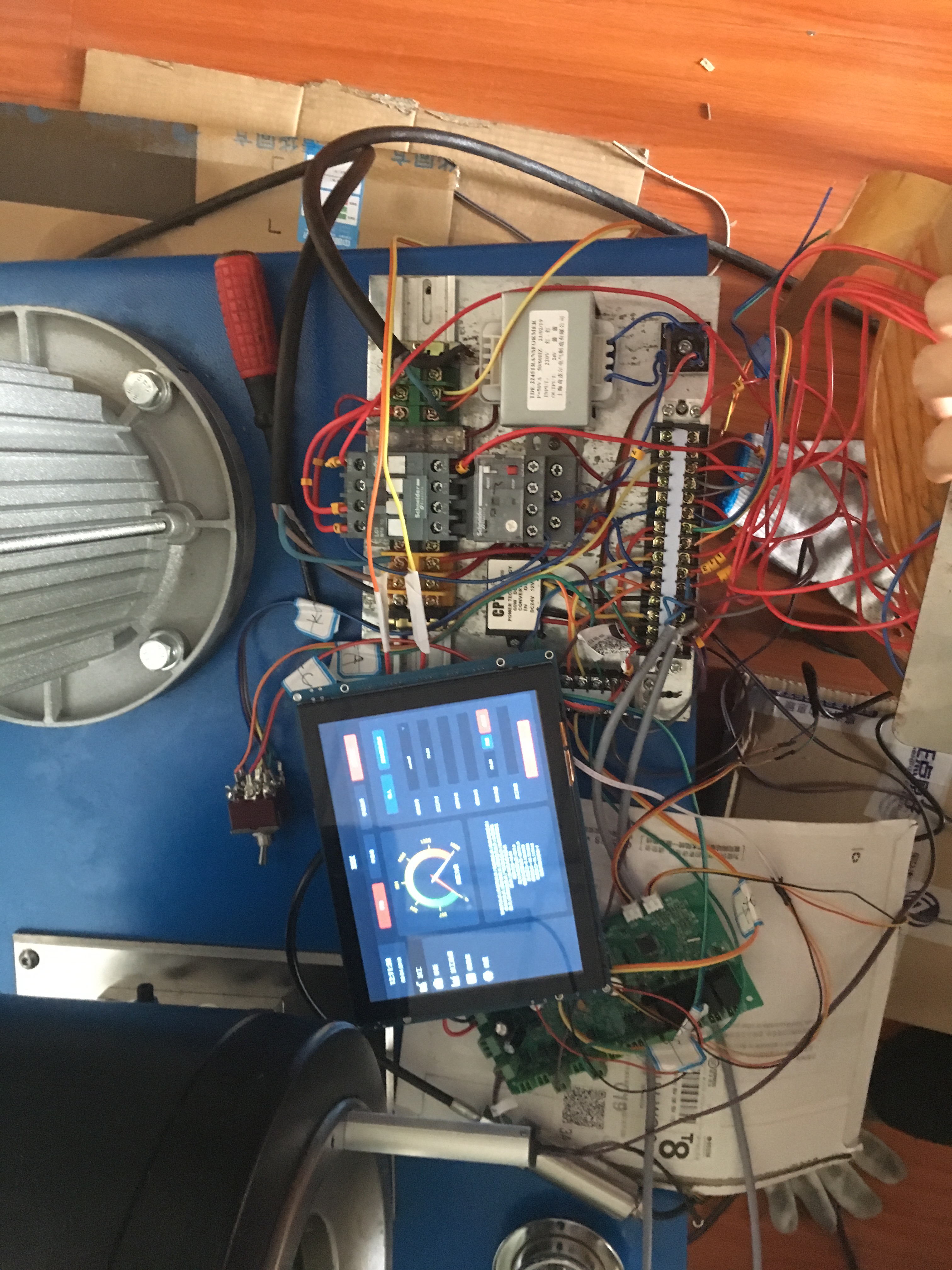
The design was commissioned by the client, whose original product was the traditional electrical control, and to keep up with the Internet, it was proposed to use Andre to control the equipment. First, Andre was responsible for managing the system, sending parameters to a single machine, which was responsible for real-time control and returning the current state of the equipment to the Andreum screen.
As a result of the phase-out of QT and Wince, Andre controls are increasingly being used by clients.
But Andromeda can't control the hardware directly, and it has to be handled through the JNI interface, which is an Andromeda direct call to the C++ program.
Indirect control of hardware, while the C++ program is based on a linux application. There is a more complex development mechanism.
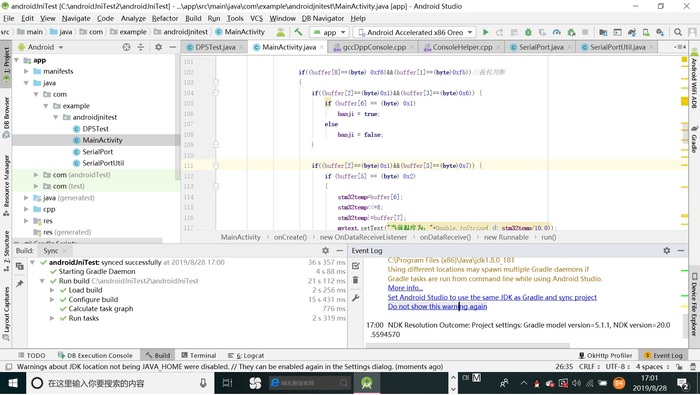
The following is part of the code
package com.example.androidjnitest;
import androidx.appcompat.app.AppCompatActivity;
import android.annotation.SuppressLint;
import android.os.Bundle;
import android.os.Handler;
import android.os.Message;
import android.view.View;
import android.widget.Button;
import android.widget.TextView;
import android.widget.Toast;
import android.widget.ToggleButton;
import java.io.File;
import java.io.IOException;
import java.io.InputStream;
import java.io.OutputStream;
public class MainActivity extends AppCompatActivity {
TextView tv;
TextView bj;
TextView rcvdataDsp;// Show 16 digit data
TextView mytext;//Show status printing
Button motortest;
Button soundtest;
Button bjstate;
Button stm32temperature;
ToggleButton cameraPowerTest;
Button ledTest;
private Handler handler;
static public String mystr="aaa";
public SerialPortUtil mSerialPortUtil;
public DP5Test mDP5Test;
private int stm32temp;//stm32 temperature
private boolean banji;
// Used to load the 'native-lib' library on application startup.
static {
System.loadLibrary("DP5Project");
}
public Handler getHandler(){
return this.handler;
}
@SuppressLint("HandlerLeak")
@Override
protected void onCreate(Bundle savedInstanceState) {
super.onCreate(savedInstanceState);
setContentView(R.layout.activity_main);
// Example of a call to a native method
initCserial();
test1();
rcvdataDsp=(TextView)findViewById(R.id.textView3);
tv = (TextView) findViewById(R.id.sample_text);
bj=(TextView)findViewById(R.id.textView2);
mytext=(TextView)findViewById(R.id.textView4);
bjstate=(Button) findViewById(R.id.button6);
motortest=(Button)findViewById(R.id.motorTest);
soundtest=(Button)findViewById(R.id.soundTest);
stm32temperature=(Button)findViewById(R.id.cputemperature);
cameraPowerTest=(ToggleButton) findViewById(R.id.campertest);
ledTest=(Button)findViewById(R.id.LEDarray) ;
// tv.setText(stringFromJNI());
// SerialPortUtil.ttt();
mSerialPortUtil = SerialPortUtil.getInstance();
mDP5Test=new DP5Test(this);
mDP5Test.SerialDp5(mSerialPortUtil);
mSerialPortUtil.setOnDataReceiveListener(new SerialPortUtil.OnDataReceiveListener() {
@Override
public void onDataReceive(final byte[] buffer, final int size) {
runOnUiThread(new Runnable() {
@Override
public void run() {
//Process the read data
rcvdataDsp.setText ("read size:"+ size + "+ bytes2String");
Toast.makeText(MainActivity.this,
"received size:" + size + "-" + new string (buffer) + "end",
Toast.LENGTH_LONG).show();
If((buffer[0]=(byte) 0xf6) & &(buffer[1]=(byte)0xfb) // trigger judgement
{
if((buffer[2]==(byte)0x1)&&(buffer[3]==(byte)0x6)) {
if (buffer[6] == (byte) 0x1)
banji = true;
else
banji = false;
}
if((buffer[2]==(byte)0x1)&&(buffer[3]==(byte)0x7)) {
if (buffer[5] == (byte) 0x2)
{
stm32temp=buffer[6];
stm32temp<<=8;
stm32temp|=buffer[7];
(b) Mytext.setText ( "Current temperature is:"+Double.toString (stm32temp/10.0);
}
}
}
if(banji==true)
bj.setText( "the trigger");
else
bj. SetText ( "The trigger breaks off");
}
});
}
});
final Handler mHandler = new Handler(){
public void handleMessage(Message msg) {
tv.setText(mystr);
}
};
Thread displayreceiveData = new Thread(new Runnable() {
public void run() {
while(true) {
Message message = new Message();
mHandler.sendMessage(message);
try {
Thread.sleep(100);
}
catch (Exception e){};
}
}
});
displayreceiveData.start();
//Sound test
soundtest.setOnClickListener(new View.OnClickListener() {
@Override
public void onClick(View view) {
mystr="sound test";
try {
mDP5Test.soundTestF();
} catch (InterruptedException e) {
e.printStackTrace();
}
}
});
motortest.setOnClickListener(new View.OnClickListener() {
@Override
public void onClick(View view) {
mystr="motor test";
try {
mDP5Test.motorTestF();
} catch (InterruptedException e) {
e.printStackTrace();
}
}
});
//Camera continuity test
cameraPowerTest.setOnClickListener(new View.OnClickListener() {
@Override
public void onClick(View view) {
if(cameraPowerTest.isChecked()==true)
mystr="testing camera on/off";
else
mystr="";
try {
mDP5Test.sendTest_Camera();
} catch (InterruptedException e) {
e.printStackTrace();
}
}
});
ledTest.setOnClickListener(new View.OnClickListener() {
@Override
public void onClick(View view) {
mystr="testing LED";
try {
mDP5Test.LEDtestF();
} catch (InterruptedException e) {
e.printStackTrace();
}
}
});
bjstate.setOnClickListener(new View.OnClickListener() {
@Override
public void onClick(View view) {
mDP5Test.GetbajiStatus();
}
});
stm32temperature.setOnClickListener(new View.OnClickListener() {
@Override
public void onClick(View view) {
mDP5Test.GetStm32Temperature();
}
});
}
public String bytes2String(byte[] data){
String getString = "";
for(int i = 0; i < data.length; i++){
getString += String.format("%02X", data[i]);
}
return getString;
}
public native void initCserial();
public native String stringFromJNI();
public native void test1();
}