
Chapter I: The introduction to Project 1.1 describes how, with the development of society, people ' s quest is becoming more and more individualized, and how they are awakened every morning, making it a matter of urgency. In this context, the project has designed an up-to-date procedure for an alarm clock, allowing for the autonomous setting of alarm hours, dates, free choice of awakening music, WIFI, etc.
Chapter 1: Introduction
- 1 Project introduction
As society evolves, people become more and more individualized, and every morning, how comfortable they are awakened becomes a matter of urgency. In response to this, the project designed an alarm clock to take over, enabling the autonomous setting of alarm hours, dates, free choice of awakening music, WIFI, etc.
Chapter 2 System Overview
- 1 System requirement analysis
The basic needs of users for the nature of the alarm software are setting the time and day of the alarm.
(1) Set alarm time
(2) Set alarm date
(3) Add wake-up music (mp3)
(4) View WIFI information
(5) Serial port detection and opening of the serial port
(6) Send byte stream to the lower computer
Chapter 3 System Design
This chapter describes the design of the modules of the software and the functional framework of the entire software system. The software uses Windows-builder as a support tool to design the entire system.
- 1 System interface design
The software interface is as follows:
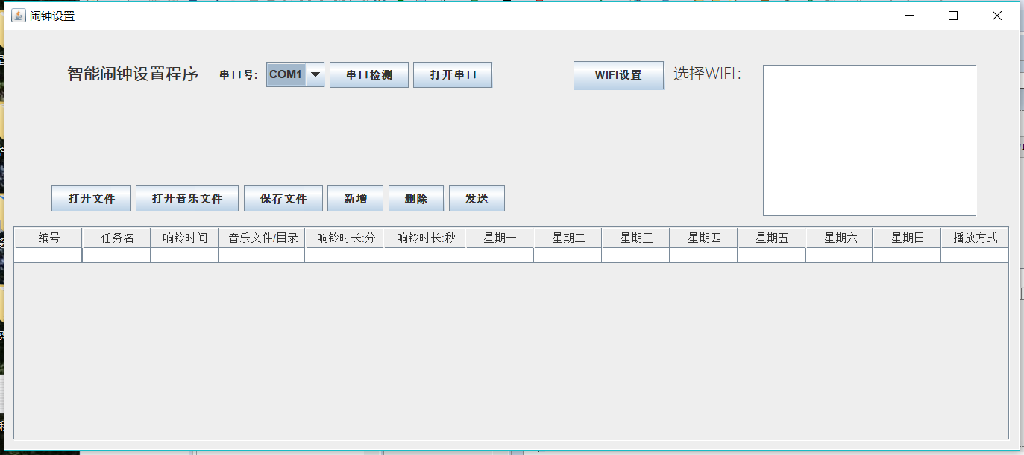
Figure 3.1 Software interface
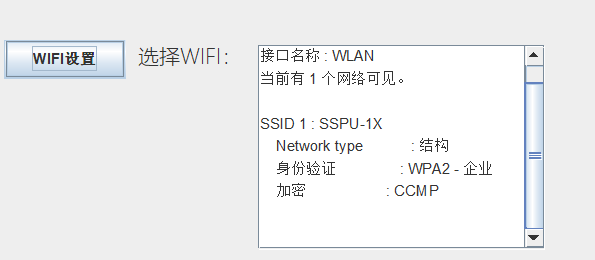
Figure 3.2 WIFI settings
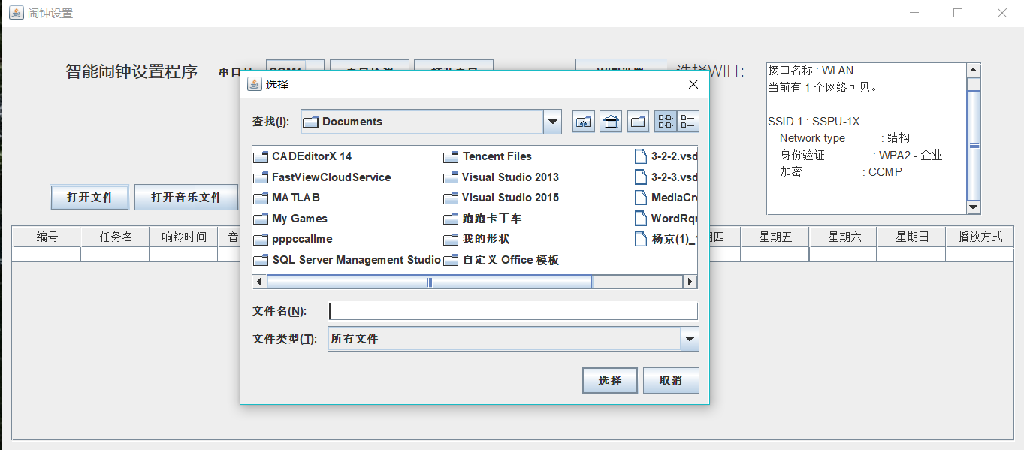
Figure 3.3.1 Open file.1
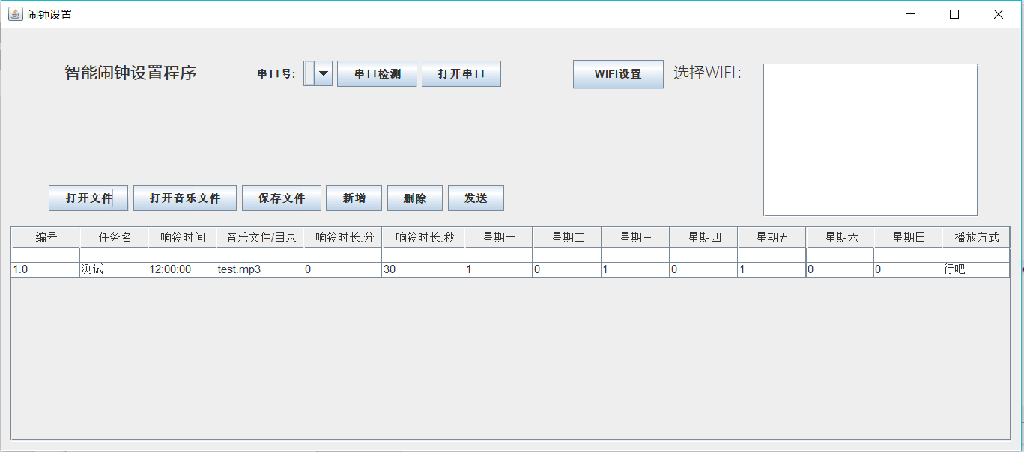
Figure 3.3.2 Open file 2
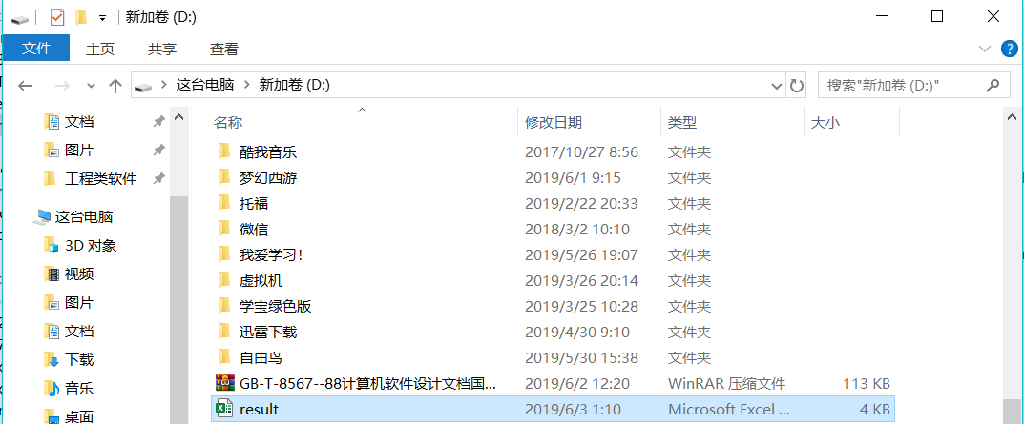
Figure 3.4.1 Save file.1
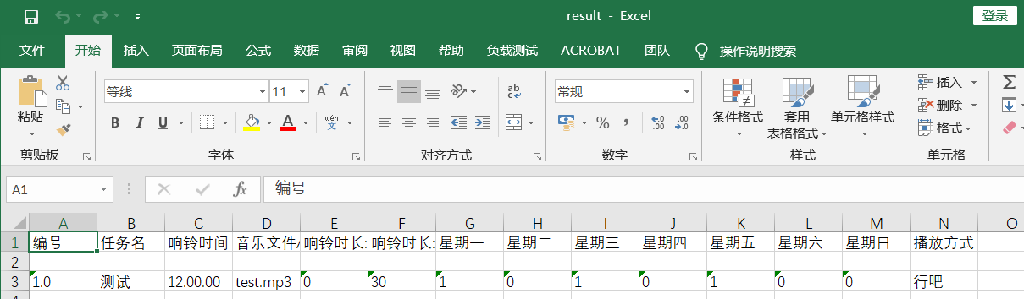
Figure 3.4.2 Save file.2
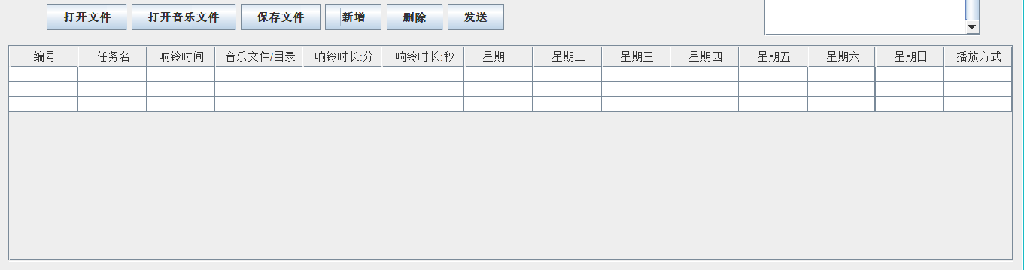
Figure 3.5 New
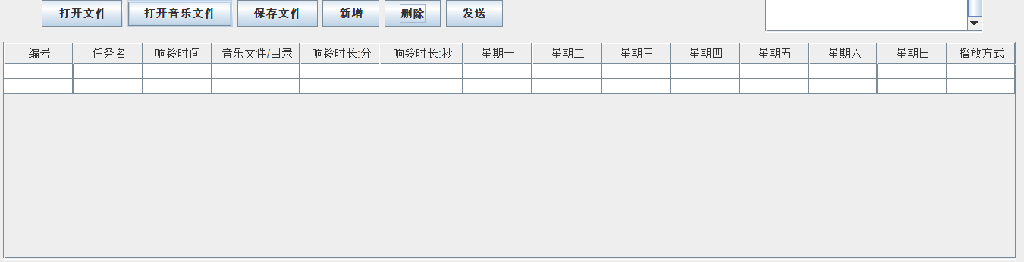
Figure 3.6 Delete
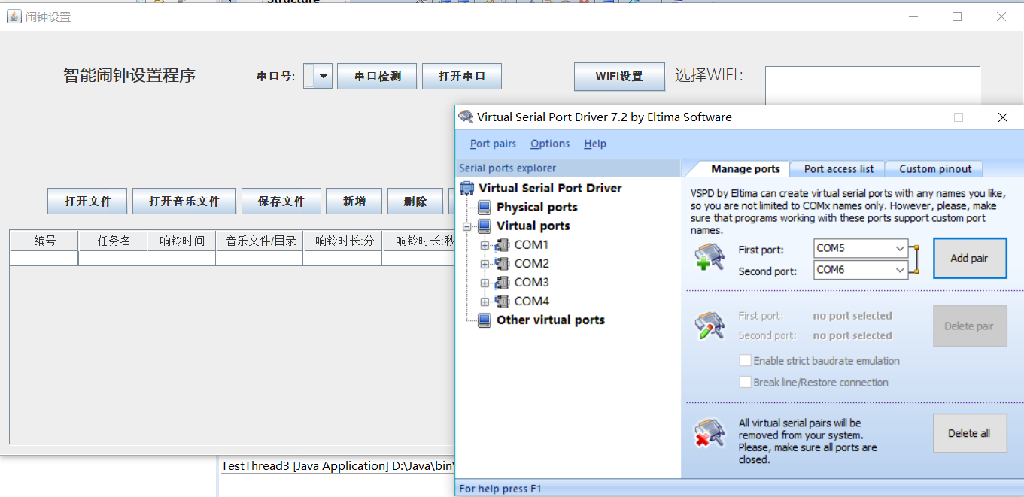
Figure 3.7.1 Serial port detection 1
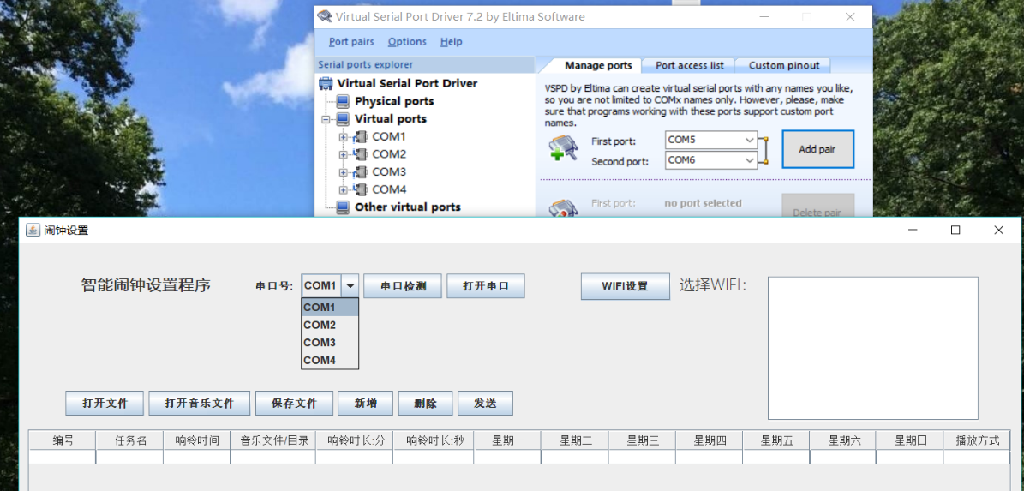
Figure 3.7.2 Serial port detection 2
Chapter 4 System implementation
(Codes are too long to put any code in here)
- Software interface: The software interface was created through the Windows-Builder visualization aids of Eclipse, using the following controls: ScrollPane, JTable, JButton, JLabel, ComboBox, JTextArea.
- Display WIFI: Add actionPerforme(ActionEvent e) event to respond to key clicks. Command to run script commands.exec() by Runte.getRuntime(). Command to run script commands. Command commands called here are:netsh wlan show networks, i.e. to display detected wireless local area networks and their information. Returns the result of the cmd command through textArea.setText(); the function is shown in textArea. Embedded textArea into scrollPane, which allows textArea to drop down and pull left and right when text spills.
- Opens the file: Add a key answer. Import some of the necessary xml packages. Use JFileChooser() to set the selection file dialogue box, and import the file content into JTable by using the DefaultTableModel category (DefaultTableModel)table.getModel() .insertRow().
- Save file: Add keys to respond. Create ArrayList() arrays, loop through fore, adding data from all columns in JTable to ArrayList. Create a file (deleted if the file exists) and write the data into the file via ExcelHelper.writeExcel().
- Add: (DefaultTableModel)table.getModel() .insertRow(); insert blank rows in JTable.
- Delete: Delete by (DefaultTableModel)table.getModel().removeRow(); delete rows from JTable.
- Serial testing: Because Java.comm is older and does not support 64-bit systems and runs on error, the RXTXcomm.jar package is downloaded. The VSPD virtual link is downloaded because there are no chains on the computer. Definition <CommPortIdentifier>portList=CommPortIdentifier. Get PortIdentifiers(); Define another ArraryList to add a serial name to the LIist. Use the ComboBox.addItem(); use the list to add the list to the ComboBox.